Take your next step
Choose the steps that fit you, tell us a little about you, and hear from your campus.
For everyone.
Choose your steps
Open Next Steps
Press Next Steps at the top of the site. The steps are grouped by where you are: Know God, Find Freedom, Discover Purpose and Make a Difference.
Tick the steps that fit you
Tick each step that fits you, as many as you like. Each one you tick is added to the form at the bottom of the page. To read more about a step first, press More about this step.
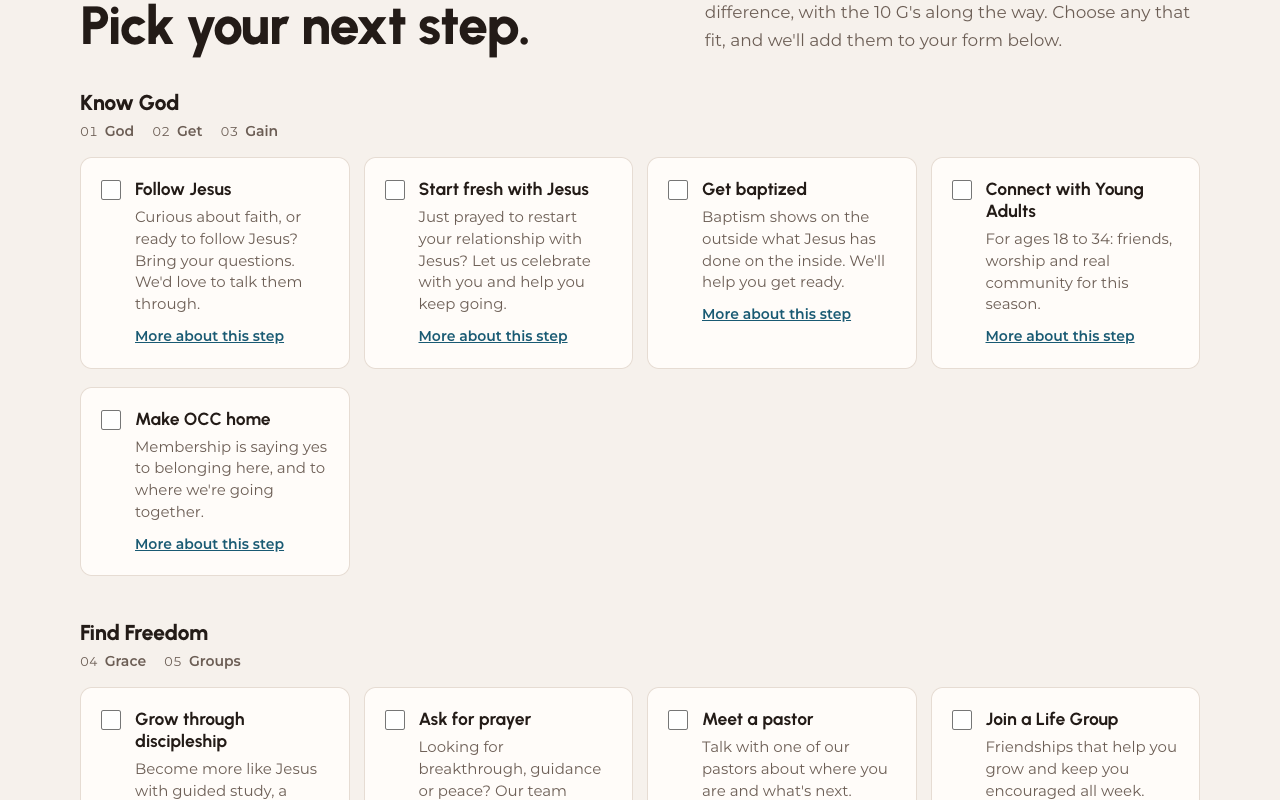
The steps, grouped by where you are.
Tell us about you
Fill in the first page
Choose your campus and which describes you best, then enter your name, email and cell phone. Press Continue.
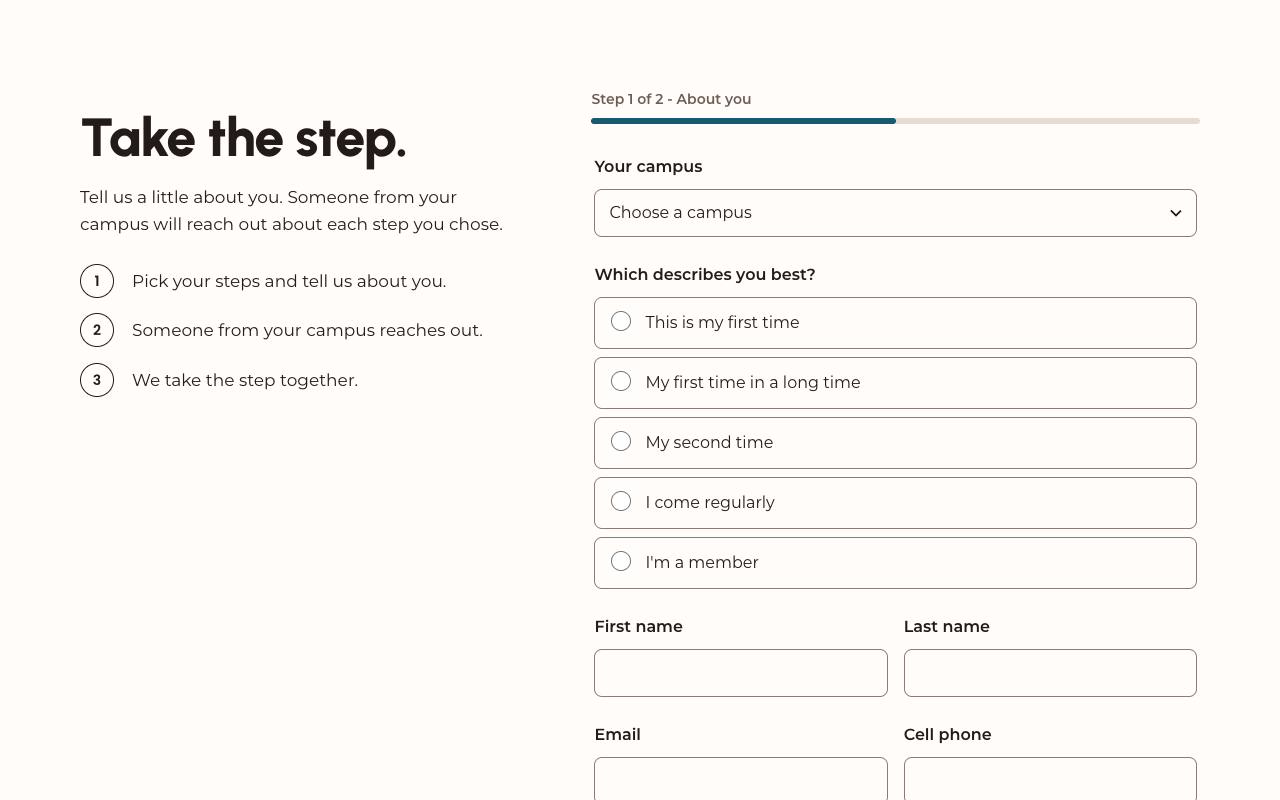
The form’s first page. Fill in the second page
Check the steps you chose, add a prayer request if you’d like, and tell us the best way and time to reach you. If you’re new to OCC, it also asks a little about your visit.
Send it
Send the form when you’re ready.
What happens next
Someone from your campus reaches out to you about each step you chose. You don’t need an account to take a next step.