Send a request to a church team
Ask for graphics, printing, a room or data, and follow it until it's done.
For everyone.
Find the right request
Open Requests
Open Requests from the bottom of any page, or go to connect.visitonecc.com/requests/. It lists everything a ministry can ask the church’s teams for: graphics, printing, rooms, forms, data, access and more.
Search or choose a category
Type what you need, like “room” or “badge”, or choose a category to narrow the list.
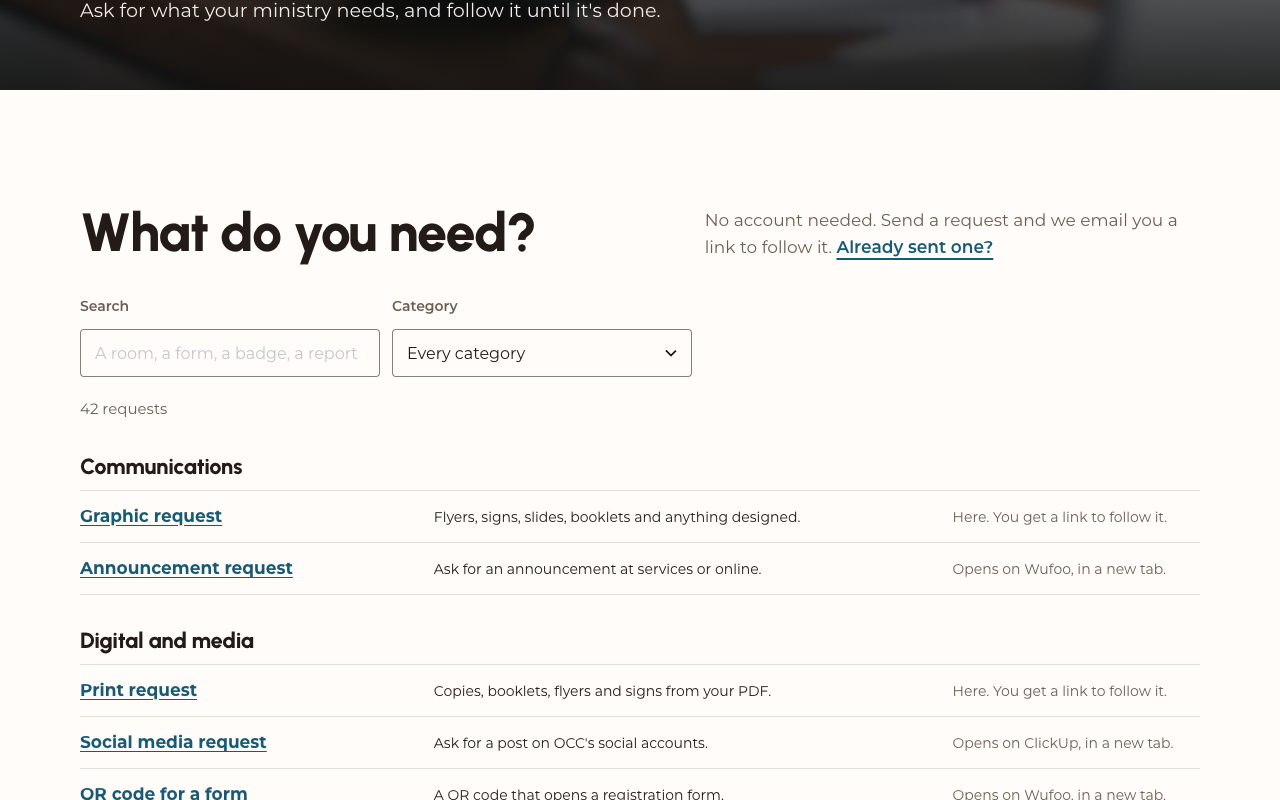
The Requests page. Check where its form is
The right-hand column says where each form is. Here. You get a link to follow it means its form is on this site, and you can follow the request until it’s done. Others open the team’s own form in a new tab.
Send it
Fill in the form
Open the request and fill in its form. The more you tell us, such as dates, sizes and your campus, the fewer questions the team needs to ask.
Send it
Send the form. You get an email with your request’s number and a private link to follow it. You don’t need an account.
Not sure which one?
Press Tell us what you need at the bottom of the list, describe what you need in your own words, and a person will point you to the right place or take it from there.
Planning an event?
The bottom of the Requests page lists the six requests an event needs, in the order to send them. Then see Follow a request you sent.