Take Life Group Leader Training
Work through the six modules, pass the final quiz, and download your leader certificate.
For group leaders.
Before you start
Life Group Leader Training is for everyone who leads a Life Group at OCC. It’s free, it’s on the community, and you can take it at your own pace on a computer or a phone. You need your community account, and you need to be in the Life Group Leaders group there. Life Group leaders are added to that group from Planning Center, so most leaders are already in it. If you aren’t, the course tells you, and you can ask to join.
Open the course
Press Courses
Sign in to the community and press Courses in the bar at the top. It lists every course you can take.
Choose Life Group Leader Training
The course page shows what’s inside: six modules, 20 lessons and 7 checks, and a certificate at the end.
Press Start the course
The first lesson opens. When you come back later, the same place on the course page shows the lesson you’re up to.

The screens here come from our test site, and everyone in them is made up.
Work through each module
Read each lesson
Each lesson takes a few minutes. Some lessons will have a video. Until a lesson’s video is recorded, the lesson is written out on the page.
Press Complete and Continue
At the end of each lesson, press Complete and Continue. That marks the lesson done and opens the next one. The count at the top right, such as 0 of 27 done, goes up as you go.

The end of a lesson. Take the module’s check
Each module ends with a short check of a few questions. It’s practice, so it doesn’t count against you. Choose an answer and press Next question.
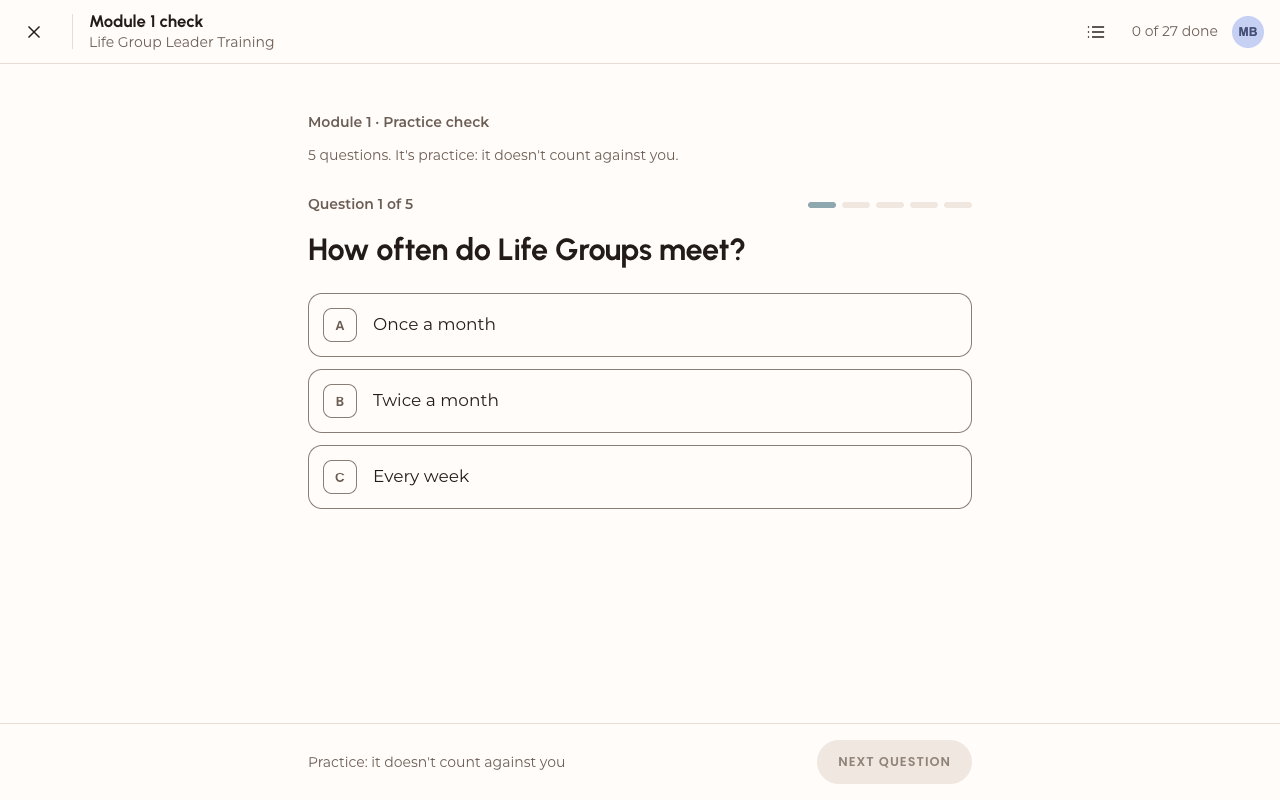
A module’s practice check. Keep the leader handbook
On the course page, under Resources, download the Life Group Leader Handbook. It’s a PDF to keep for later.
Pass the final quiz
Open the final quiz
It’s at the end of Module 6, after the last lesson and check.
Answer the 20 questions
Press Next question after each one. You need 80% to pass.
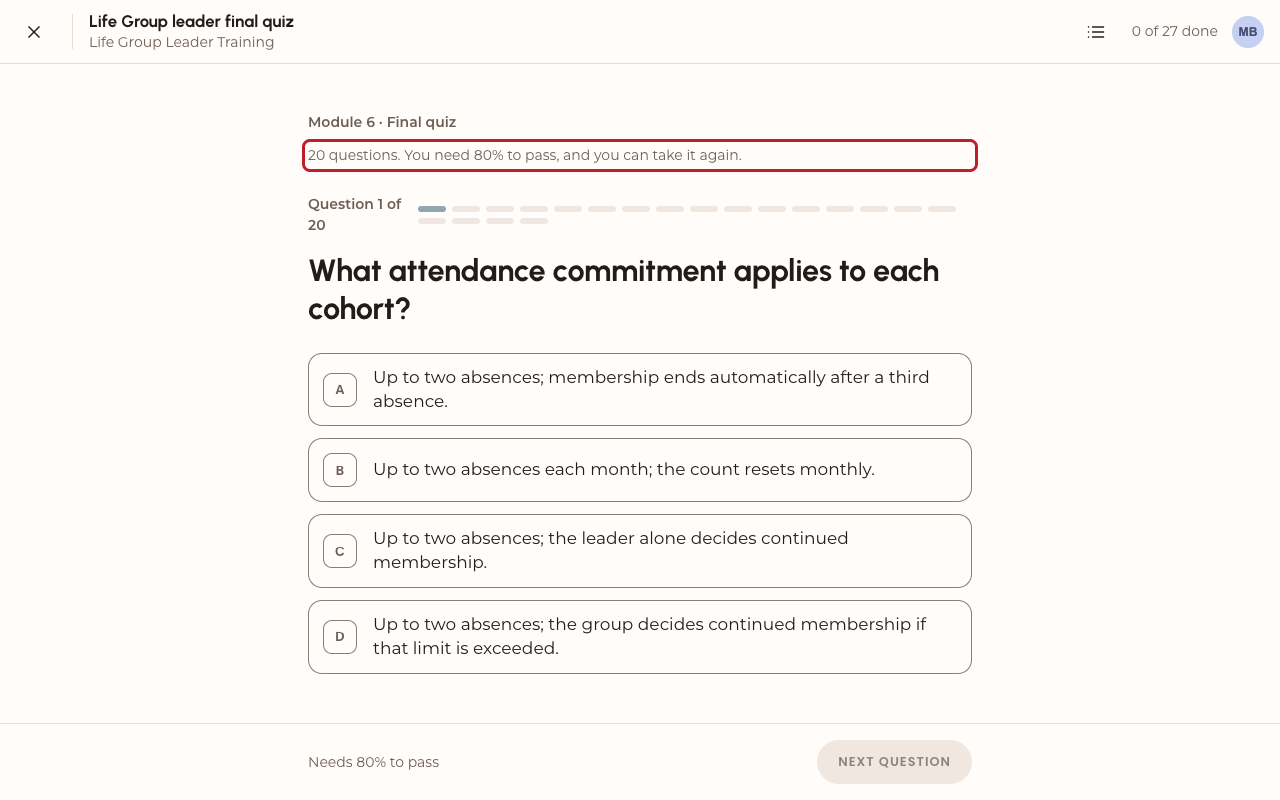
The final quiz. Take it again if you need to
If you don’t pass the first time, you can take it again.
Get your certificate
Open the course page
When every lesson and check is done, the course page says You finished this course.

The course page, once you’ve finished. Download or share it
Press Download certificate for a PDF with your name, the course and the day you finished. Press Copy share link to send it to someone instead.
The leaders of the Life Group Leaders group can see how far you’ve got, and your certificate, on that group’s Progress tab.
If something goes wrong
The course says “Join Life Group Leaders to take this course.” You aren’t in the Life Group Leaders group yet. Press Go to the group, then Ask to join. The group’s leaders answer, and the course opens once you’re in.

You can’t find the course under Courses. Courses lists it only for members of Life Group Leaders. Press Groups at the top, find Life Group Leaders, and ask to join.
You stopped partway through. Your place is kept. Open the course again, and it shows the lesson you’re up to.
Still stuck? Tell us what you need, and a person will pick it up.