
Bring people into your group
Answer someone who asked to join, and invite someone who's already on the site.
For group leaders.
Answer someone who asked to join
Watch for the notice
When someone asks to join your group, you get a notification on the site and an email.
Open the request
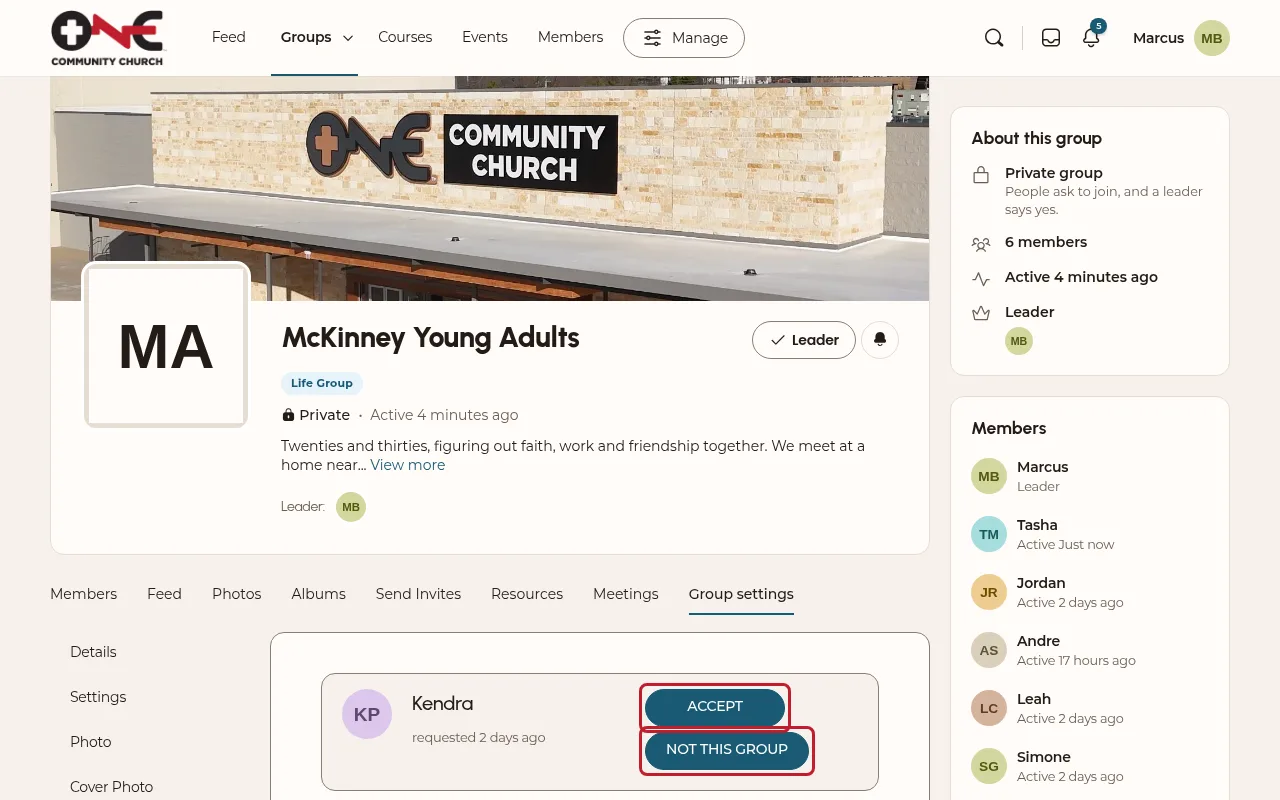
Open your group, then Group settings, then Requests. Requests made in Church Center show here too.
The screens here come from our test site, and everyone in them is made up. Say hello first, if you don’t know them
Message them and introduce yourself before you accept.
Press Accept
They’re in your group, both here and in Planning Center. A spouse who asked with them comes in too.
Welcome them
Post a welcome to them by name in your group’s Feed.
If your group isn’t right for them
If your group isn’t a good fit, or it’s full, press Not this group. Your campus’s group team helps them find another one, and they’re never told no.
If you haven’t answered a request after 3 days, you get a reminder. After 7 days, it goes to your campus’s group team.
Invite someone who’s already on the site
Open Send Invites
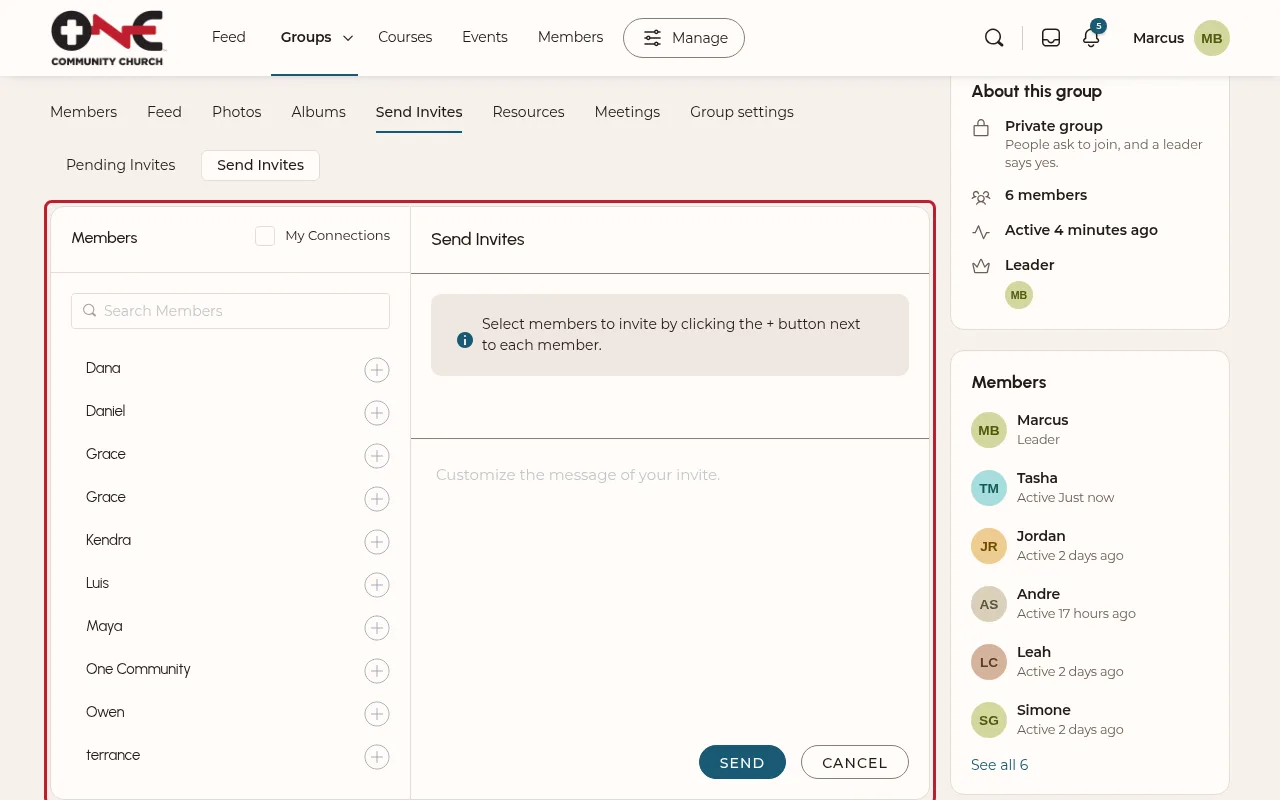
Open your group, then Send Invites.
Choose who to invite
Press + beside each person you’d like to invite.
The screens here come from our test site, and everyone in them is made up. Add a note and send it
Add a short note, then press Send.