
Join your group’s meeting online
Find your group's Google Meet and join it when it starts.
For members.
Find the meeting
Look for the meeting card
When your group’s leader schedules a meeting online, a card shows up in your group’s Feed and in your News Feed. It says when the meeting is and counts down to the start.
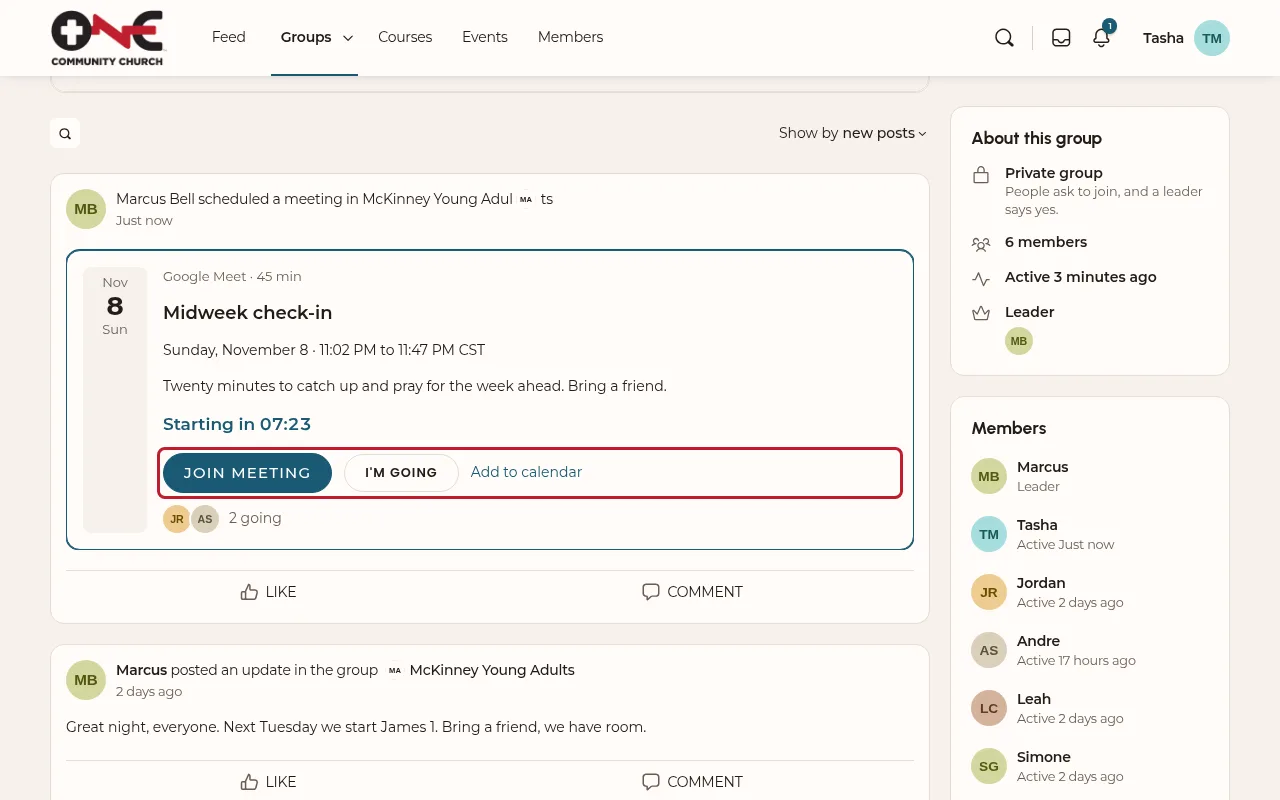
The screens here come from our test site, and everyone in them is made up. Let your leader know you’re coming
Press I’m going, so your leader knows to expect you. Nobody is emailed.
Put it on your calendar
Press Add to calendar to add it to your Google, Apple or Outlook calendar.
Join it
Wait for Join meeting
Join meeting appears on the card 10 minutes before the start.
Press Join meeting
The meeting opens in Google Meet, in your browser or the Google Meet app.
Running late?
While the meeting is on, the card says Live with the time left, and you can still join.
Good to know
Only the group’s members see the meeting link. If you don’t see a meeting card, check with your leader that one was scheduled, and that you’re signed in.