
Schedule your group’s meeting online
Set up a Google Meet for your group, and what to do if there's no Meetings tab.
For group leaders.
Schedule a meeting
Open Meetings
Open your group, then its Meetings tab, and press Schedule a meeting.
Fill it in
Add a title, the date, the start time and how long it will last. You can add a line about what it’s for.
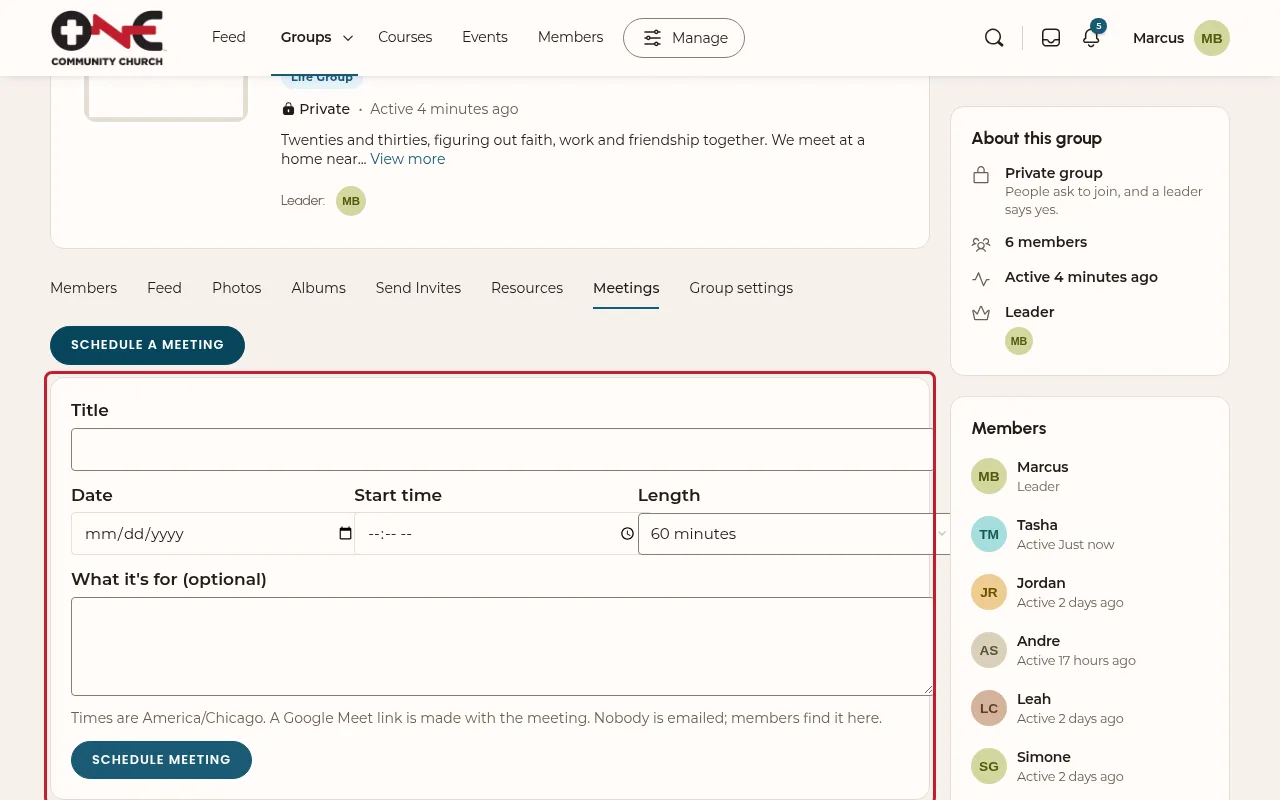
The screens here come from our test site, and everyone in them is made up. Press Schedule meeting
A Google Meet link is made for it. Nobody is emailed.
After you schedule it
The meeting shows on the Meetings tab and as a card in your group’s Feed. Members press I’m going and add it to their calendars, and you see their faces on the card. Join meeting appears for everyone 10 minutes before it starts.
Call it off
Press Cancel meeting
On the Meetings tab, press Cancel meeting on the meeting.
Confirm it
Press Yes, cancel it. Its Meet link stops working, and its card goes away.
No Meetings tab?
Open Group settings, then Meetings, and tick Use meetings in this group. If the site has meetings turned on for every group, the tab is already there.