Use your group’s page
Find your group, and post to everyone in it.
For group leaders.
Open your group
Open Groups
Press Groups at the top of the site. Your own groups are across the top of the page.
Open yours
Open your group. Its tabs are Members, Feed, Photos, Albums, Meetings if your group meets online, Send Invites and, for leaders, Group settings.
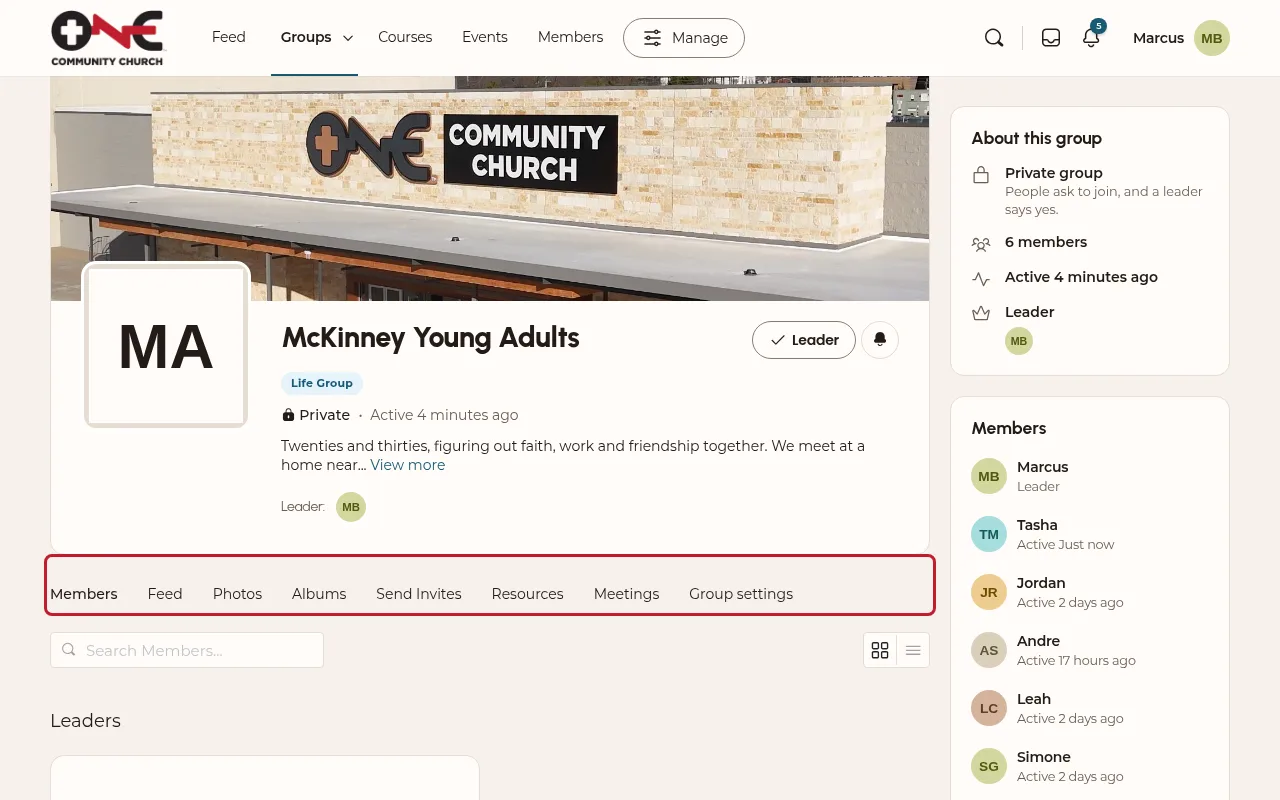
The screens here come from our test site, and everyone in them is made up.
Post to your group
Open Feed
Open your group’s Feed tab.
Write your post
Write in the box at the top: next week’s details, a reminder, a thank-you, or a photo from the night.
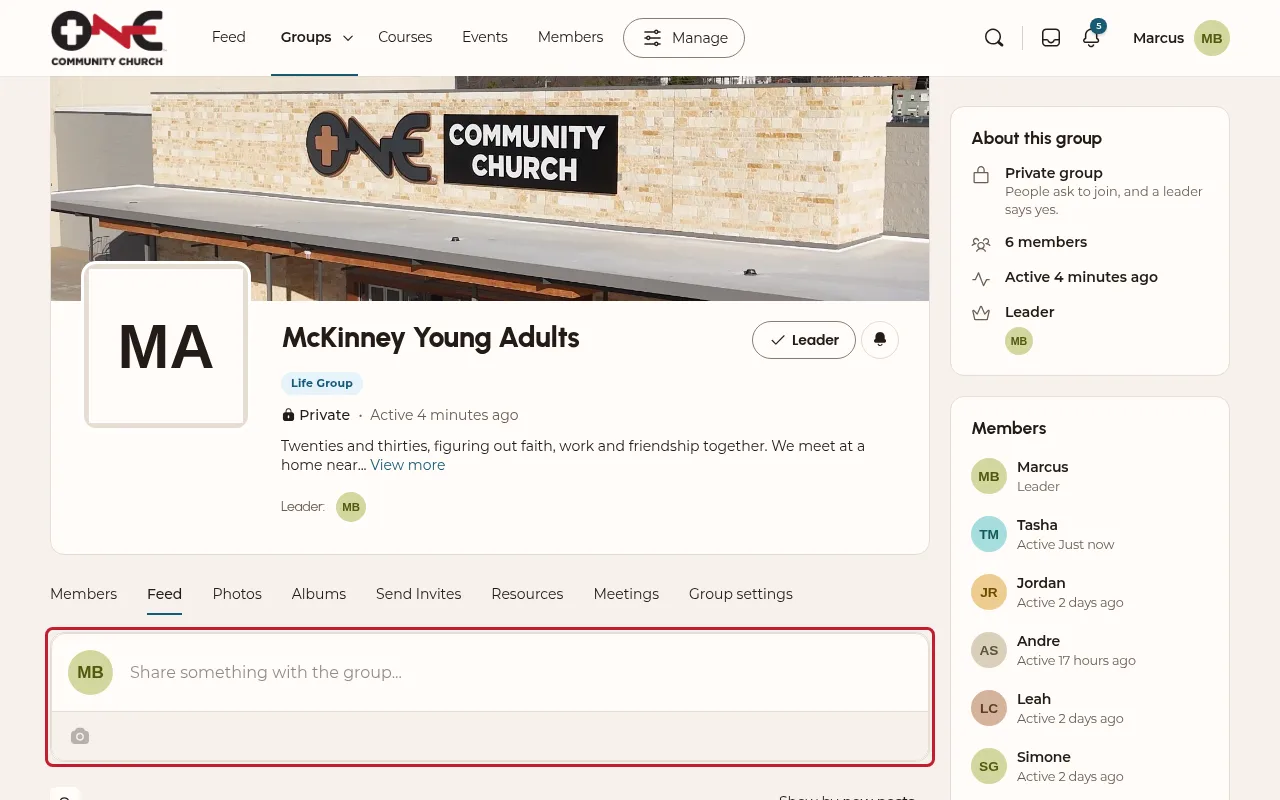
The screens here come from our test site, and everyone in them is made up. Post it
Press Post. Everyone in the group sees it in their News Feed.
Good to know
Leading a Life Group puts Life Group Leader on your profile, and it goes away on its own if you stop leading. Never post someone’s prayer request without asking them first.
Was this helpful?