
Join the OCC community
How to ask to join while the community gets ready to open, and what happens after you send it.
For everyone.
Ask to join
Open Ask to join
Press Ask to join at the top right of any page. It opens a short form.
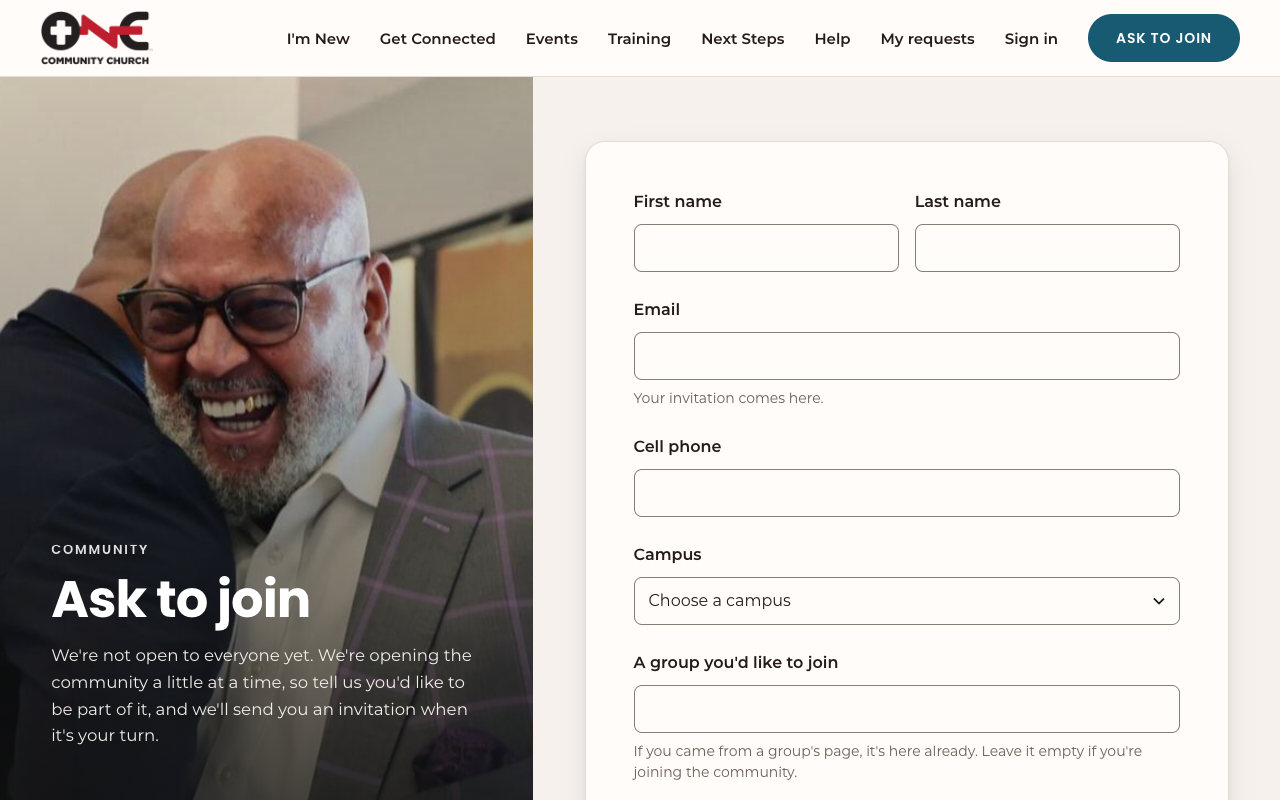
The Ask to join form. Tell us who you are
Enter your first and last name, your email and your cell phone, and choose your campus. Use an email you check often, because your invitation will go there.
Name a group, if you have one in mind
If you came from a group’s page, that group is already filled in. If you’re joining the community in general, leave it empty. There’s also a box for anything else you’d like us to know.
Send it
Press Ask to join at the bottom of the form.
What happens next
We’re opening the community a little at a time. When it’s your turn, we’ll email you an invitation. Open the invitation to make your account, then sign in.
If you were invited
If someone sent you an invitation to the community, or your group leader invited you from Planning Center, open the link in that invitation. It takes you straight to making your account.
Once you’re in
When you sign in, you start on your News Feed, which shows posts from your groups and the people you follow. Good next reads are Find a group and ask to join and Use the community on your phone.