Build a course on the OCC community
A course is modules of short lessons, a check after each module and a final quiz, with a certificate at the end. Small Group Leader Training is built this way, so open it as you read: it’s the example for every step.
For the people who build and teach courses, like the small group leader training. You need an Editor account on the site; ask an admin. The screens below come from a demo; every person in them is made up.
Build the course
-
Start a course
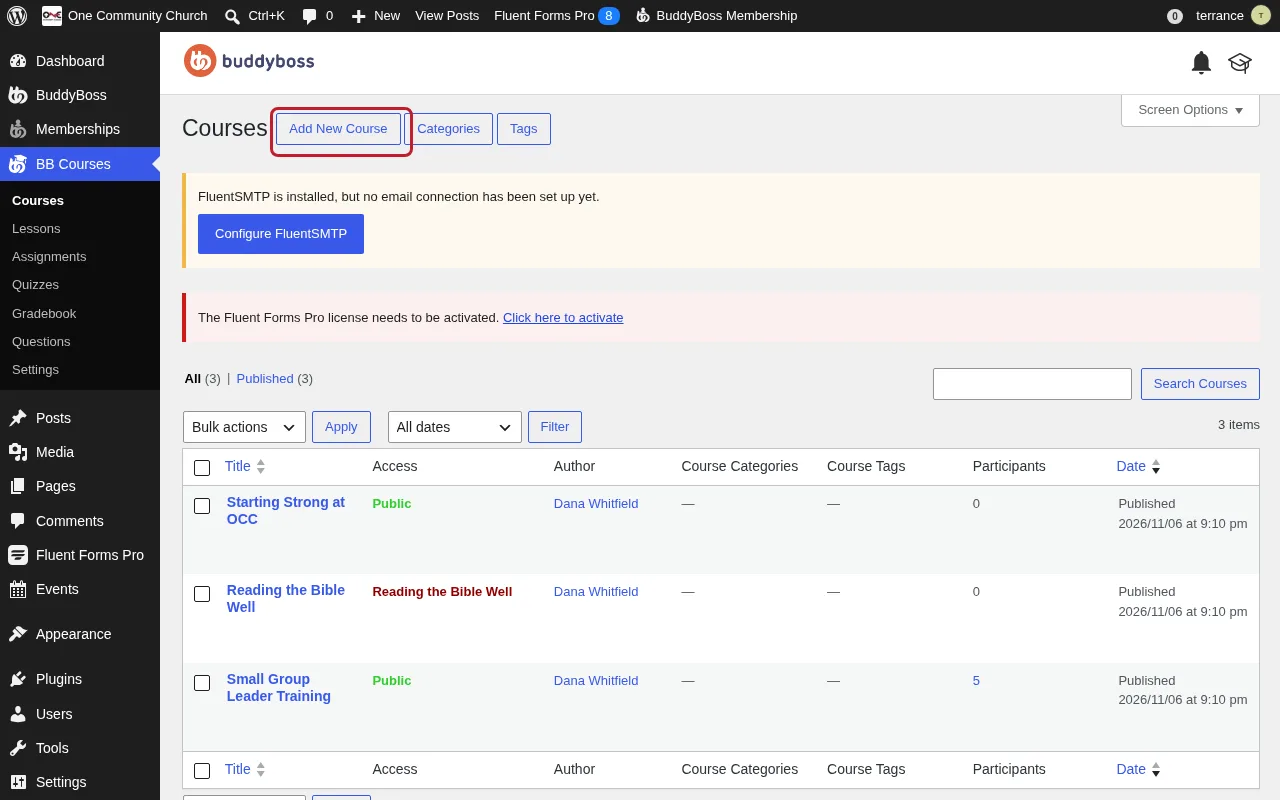
In the admin (https://connect.visitonecc.com/wp-admin/), open BB Courses, then Courses, and press Add New Course. Give it a name, a one-paragraph description of what people will be able to do, and a featured image; that picture is the course’s card on the Courses page.
-
Lay out the modules
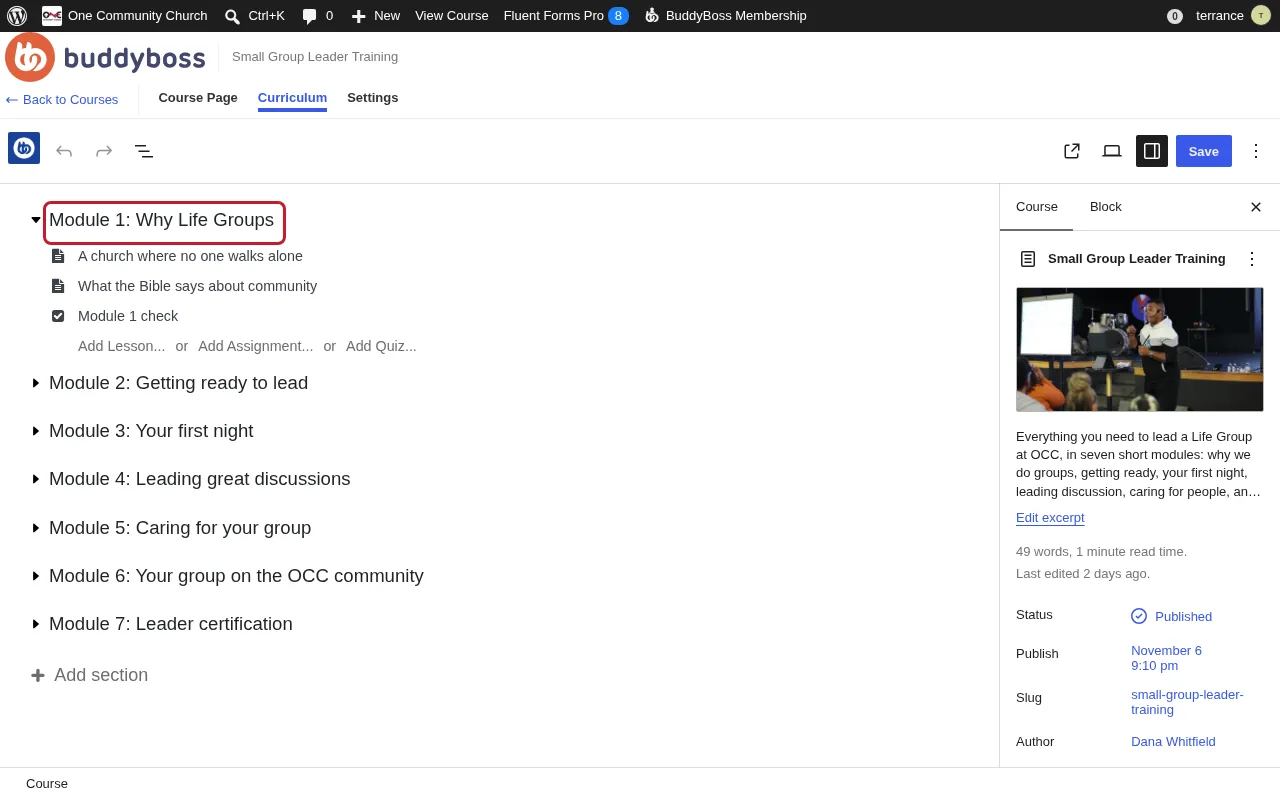
Open the Curriculum tab. Press Add section for each module, and name it “Module 1: Why Life Groups” and so on. Under each, use Add Lesson for each lesson and Add Quiz for its check. Drag to reorder.
Lessons and quizzes
-
Write a lesson, with a video
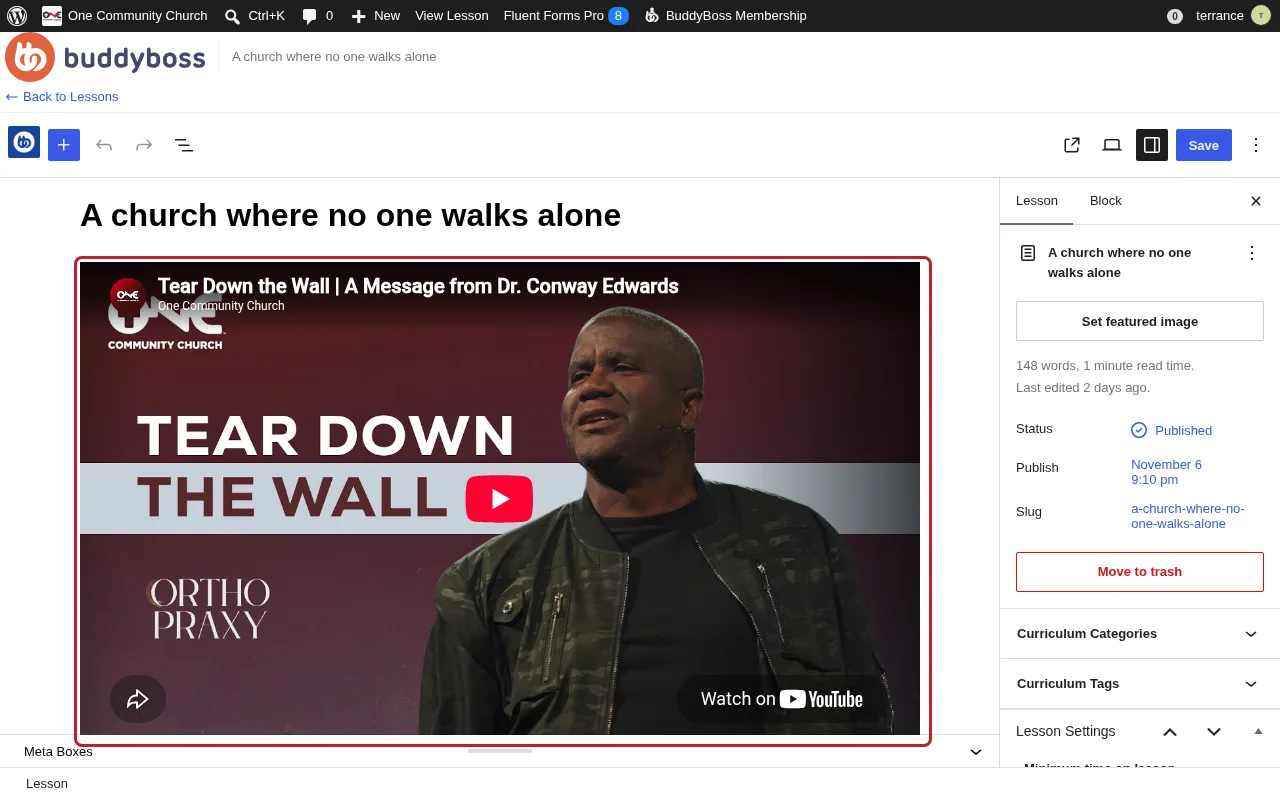
Open the lesson. To add a video, paste its YouTube link on a line of its own; it turns into a player. Keep lessons short: a few paragraphs, a Scripture, and one thing to try. For a step-by-step walkthrough, use a numbered list.
-
Build a quiz
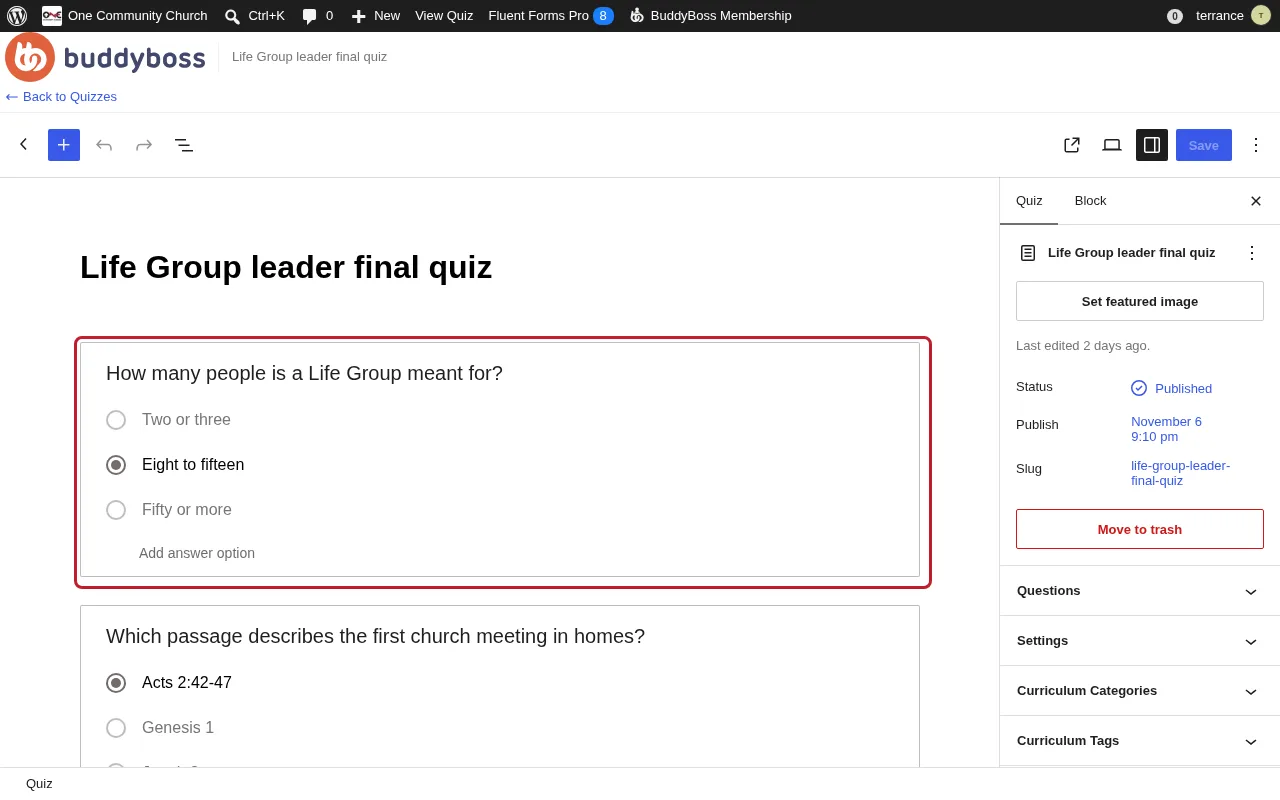
Open the quiz. Press + and choose a question type; multiple choice works for most. Type the question and the answers, and mark the right one. In the quiz’s settings on the right, choose the passing score: 80% for a final quiz. Leave it off for a practice check, so nobody gets stuck.
Certificate and group
-
Turn on the certificate
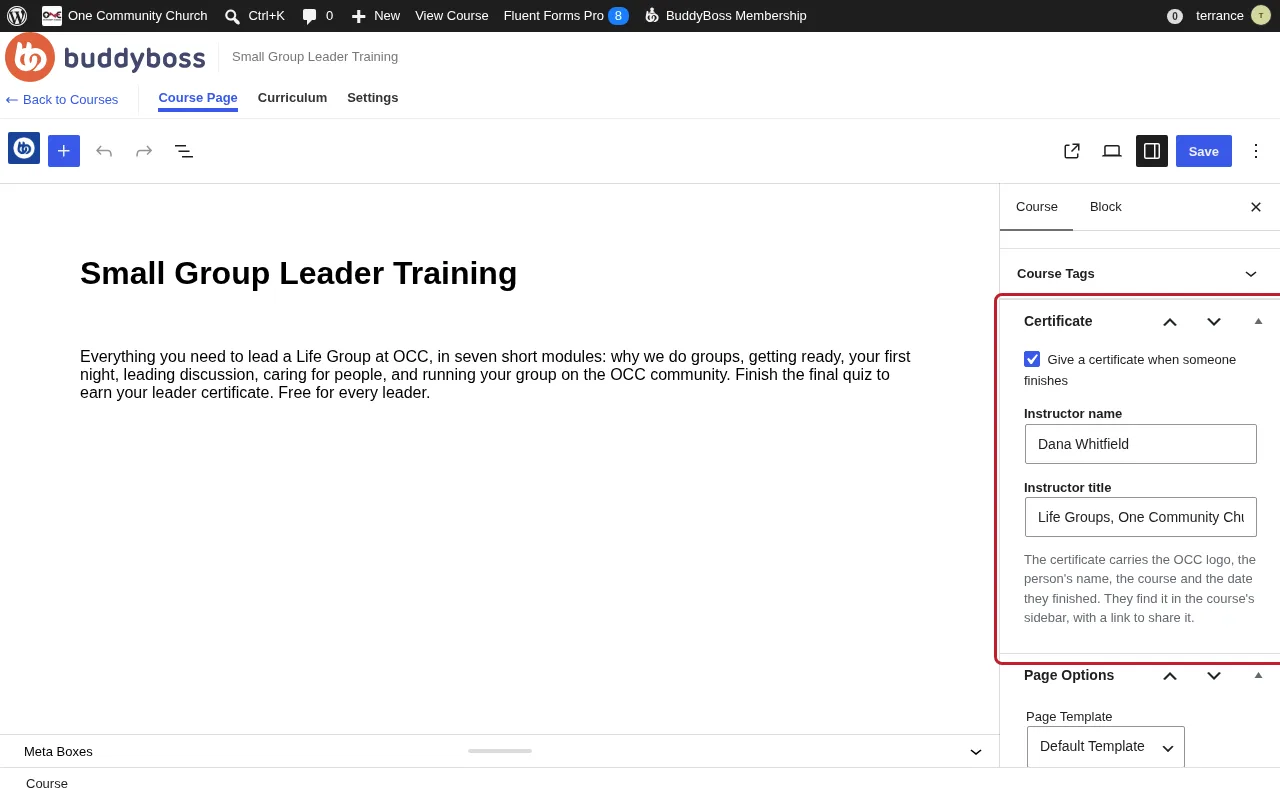
On the Course Page tab, find the Certificate box on the right. Tick Give a certificate when someone finishes, type the instructor’s name and title, and save. The certificate carries the OCC logo, the person’s name, the course and the date.
-
Put the course in a group
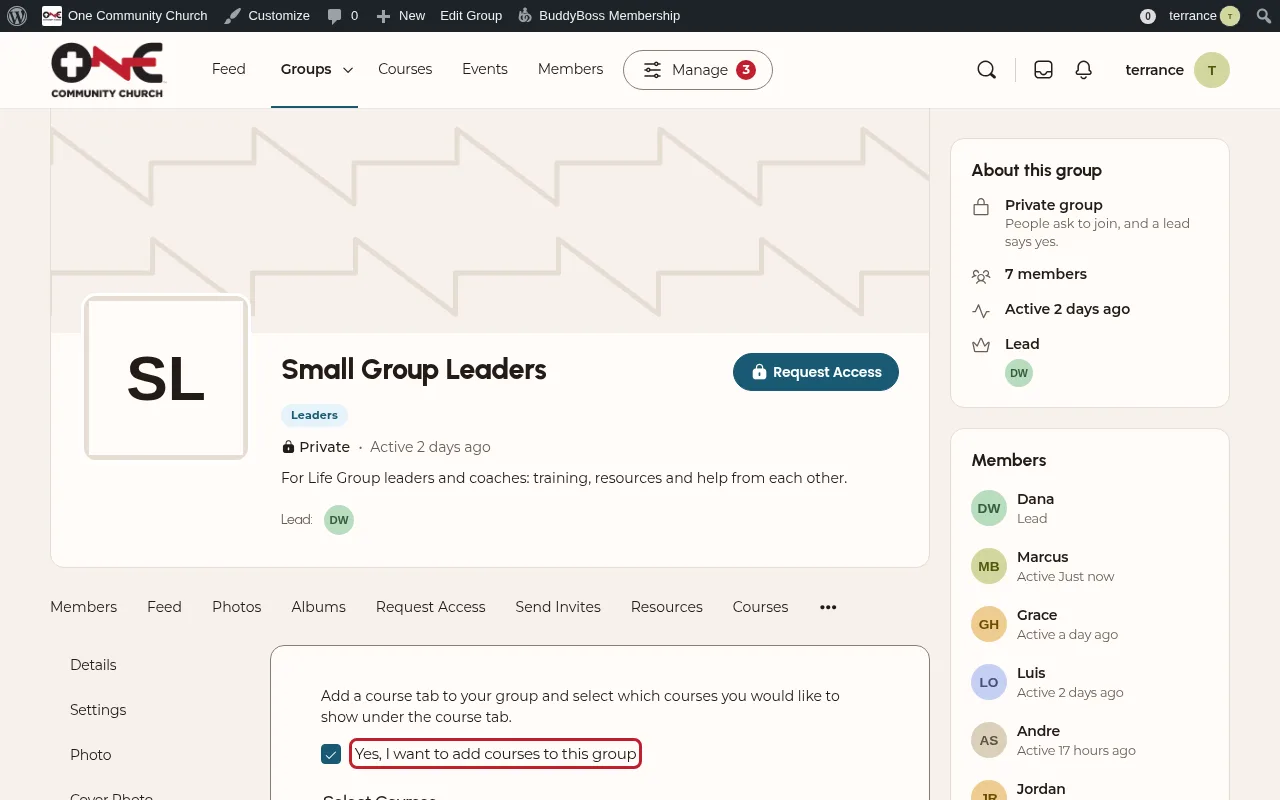
So the right people find it, add it to their group. Open the group on the site, then Manage, then Courses. Tick Yes, I want to add courses to this group, choose the course and save. It shows on the group’s Courses tab.
See results
-
Open the gradebook
In the admin, open BB Courses, then Gradebook. Recent Quizzes shows who just took which check; choose a course at the top to see everyone’s scores. You need an admin account for the gradebook; ask an admin if it’s missing.